Guide
A kanban app for personal kanban: board, WIP limit, agent
A kanban app shows your work as cards in columns and limits how much you start at the same time. Learn how personal kanban works, how to set up a kanban board in TandemLoop on your Mac, iPad, or iPhone, and how to share it with your AI agent.
What is personal kanban?
Kanban comes from manufacturing at Toyota, where cards signaled when material needed to be replenished. Later, the principle was carried over to knowledge work and software development. Personal Kanban, as Jim Benson and Tonianne DeMaria Barry describe it in their 2011 book of the same name, takes only two rules from it:
- Make your work visible. Every task is a card, every column a state. One look at the board shows what’s coming up, what’s in progress, and what’s stuck.
- Limit work in progress. Only a fixed number of cards can be “in progress” at the same time.
The difference from a classic to-do list lies in the second rule. A list grows without an upper limit, and if you start ten things at once, you finish few of them. The board makes this overload visible before it happens.
Columns, WIP limit, and the pull principle
Columns
A personal kanban board needs only a few columns. The minimum is “Backlog – In Progress – Done.” Many people add a “Waiting” column for things that are with someone else, so they don’t count as work in progress but stay visible. More than five columns usually make a personal board hard to read.
WIP limit
WIP means “work in progress.” The WIP limit sets how many cards a column can hold—for the “In Progress” column, two to four is a common starting value. Once the limit is reached, you have only one option: finish something, hand it off, or deliberately put it back. The limit isn’t an end in itself. It shows you where work is piling up and forces the question of why.
The pull principle
In kanban, work is pulled, not pushed. A new card moves into “In Progress” only when there is room—you pull it from the backlog instead of new tasks simply piling on. Your capacity sets the pace, not the amount of things other people want from you.
When the limit is reached
A full column is a signal, not a disruption. Look at the cards: If one is almost done, finish it. If one is stuck waiting for an answer, move it to “Waiting” and note who you’re waiting for. If one is too big, split it into smaller steps and keep only the first one on the board. And if something just doesn’t fit this week, it goes back to the backlog—that’s not a defeat, but exactly the decision the limit is meant to force.
Board
The same cards, three settings
Active4 / 4
For Review1
Waiting1
Completed1
collapsed
The kanban board in TandemLoop
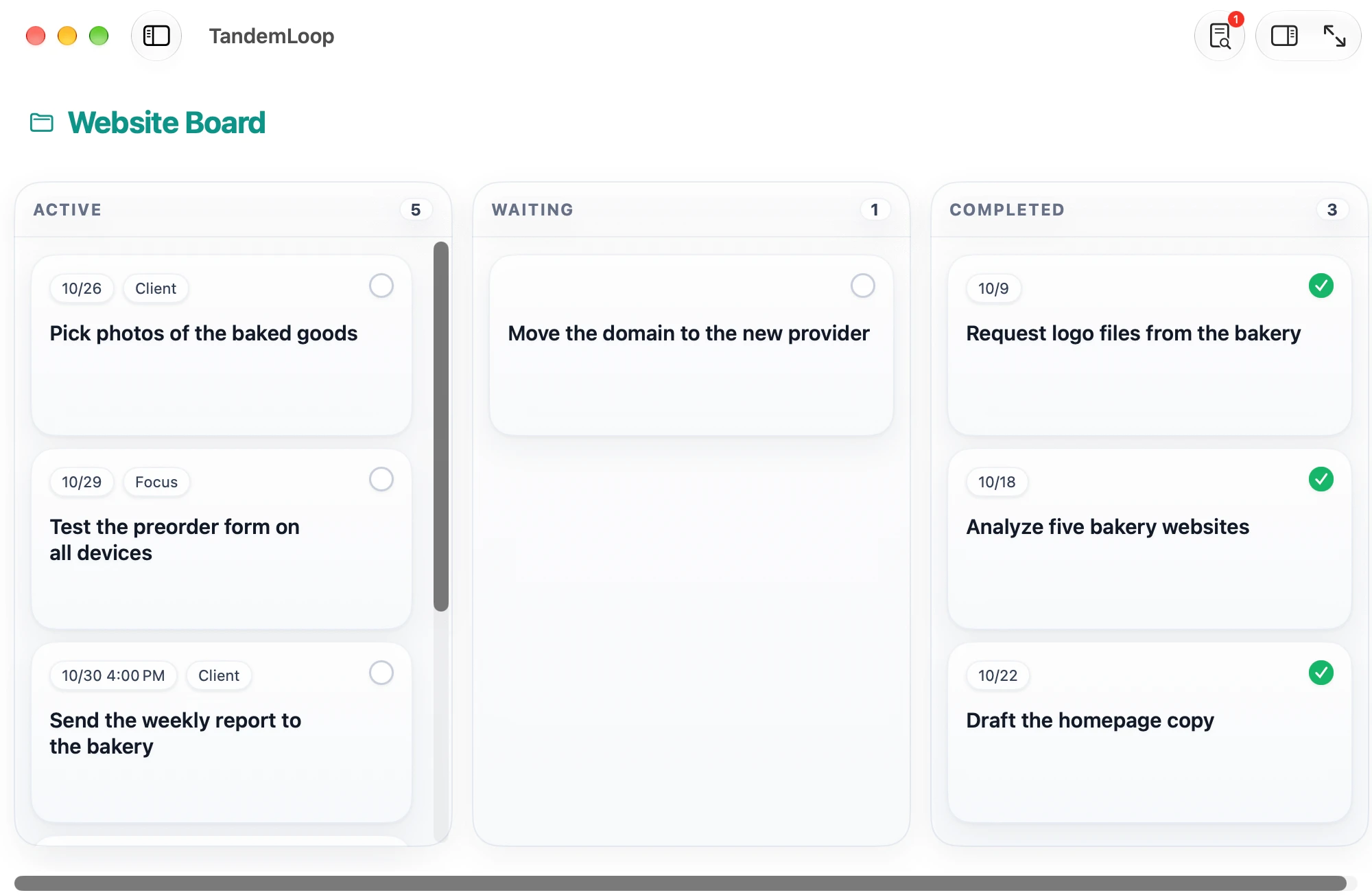
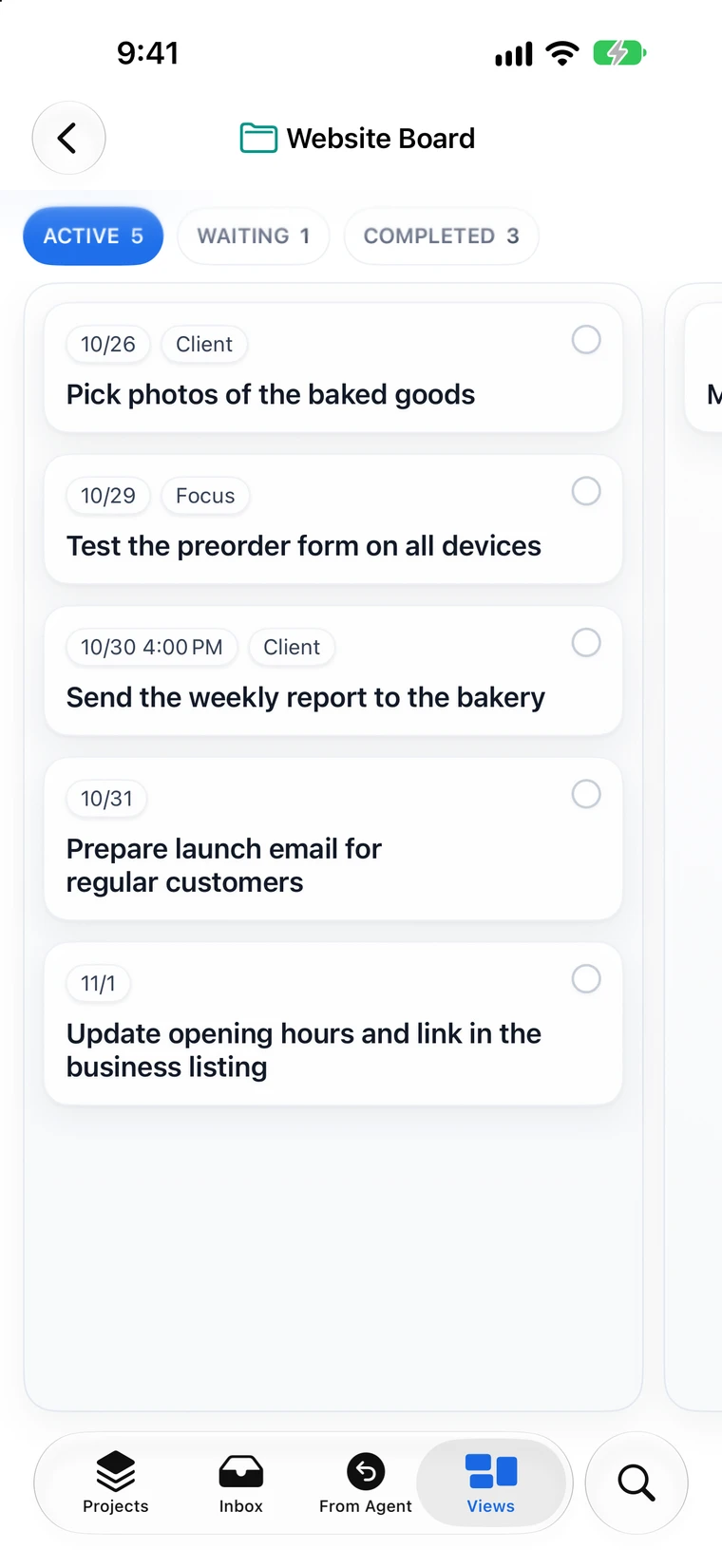
In TandemLoop, a kanban board isn’t a separate list but a layout: Any view—a saved view with a filter—can be shown as a Board. The same tasks stay in their projects and appear in other views as a List, Agenda, or Calendar. When you drag a card into another column, the field the board is divided by changes.
| Setting | What it does |
|---|---|
| Board By | Status (Active, Waiting, Completed, Dropped; the agent’s handbacks as For Review and Question), assignment (Human, AI), or delegation (Do, Draft, Ask) |
| Swimlanes | Divides the board horizontally by a second field: status, assignment, or delegation |
| WIP limit | For all columns or per column. The column header shows the count and the limit. As a soft limit, it warns you; as a hard limit, you can’t drag another card into the full column |
| Card fields | What appears on each card, such as due date, tags, project, or delegation |
| Completed column | Stays collapsed to save space, if you want |
The board has no freely named columns like “This Week” or “Today.” Instead, you model the backlog with the filter: The board shows only what you’ve pulled, and the rest stays in your projects and lists.
How to set up a personal kanban board
- Backlog: Your projects and a view “Next Actions” with the filter “Available is Yes” are the backlog. That’s where you pull from.
- Pull: Create a tag “Focus.” Whatever you take on for this week gets the tag.
- Create the board: a new view “This Week” with the filter “Tags contains Focus,” layout Board, Board By Status.
- Set the WIP limit: for the Active column, for example 4. If you want to hold yourself to it strictly, choose the hard limit.
- Tidy up: Show the card fields due date and project, and collapse the Completed column.
A shared board with your AI agent
If you work with an AI agent like Claude Code, Codex, or Cursor, the assignment is the most useful field for the columns. A board by assignment has two columns: Human for you and AI for your agent. Drag a card to the right, and it belongs to the agent; drag it back, and it’s yours again. The agent’s cards show how independently it may work: do the task, prepare a draft first, or ask first.
The agent sees the same tasks as the board: It finds its cards, completes them, and hands them back. On a board by status, its handbacks appear as separate columns, For Review and Question. That is kanban in the true sense: If cards pile up in For Review, the bottleneck is you, not the agent—so you review first, before you give it anything new.
With swimlanes by assignment, you combine both: columns by status, with one lane for you and one for the agent underneath. And you don’t have to build the board yourself—“Create a board where we work on the online course together” is enough, and the agent creates the view. The page Share tasks with AI agents describes how handing off and handing back work in detail.
Combining kanban and GTD
Kanban and GTD answer different questions. GTD clarifies what needs to be done: Everything is captured, clarified, and filed as a concrete next action. Kanban governs how much you do at the same time. Together, that makes a simple routine:
- Anything new lands in the Inbox and gets clarified the GTD way.
- Your next actions are the backlog of your board.
- In the weekly review, you pull the cards for the coming week—with the tag “Focus.”
- During the week, you work on the board, within the WIP limit.
The guide to the GTD method explains exactly how the five steps and the weekly review work. If you want to choose by importance within the backlog, add the Eisenhower matrix as an app.
Who TandemLoop isn’t the right kanban app for
TandemLoop is a to-do app for one person and their agent, not a project management tool for teams. There are no user accounts, no permissions per board, and no comments between colleagues. If five of you are planning a product launch on a shared board, a team tool is the better choice. For your personal kanban—your projects, your week, your work with an agent—a board in your task manager is closer at hand than a second tool.
Frequently asked questions about the kanban app
What is personal kanban?
Personal kanban applies kanban to your own work. It gets by with two rules: Make your work visible, and limit how much you have started at the same time. A board with a few columns and a WIP limit is all you need.
What does WIP limit mean?
WIP stands for “work in progress,” meaning work you have started. The WIP limit sets the maximum number of cards allowed in a column. Once the column is full, you finish something before you start anything new.
What is the pull principle?
Work is pulled, not pushed: You move a new task into the Active column only when there is room. That way your actual capacity sets the pace, not the length of the list.
Can you combine kanban and GTD?
Yes. GTD makes sure everything is captured, clarified, and written down as a next action. The kanban board shows what you are working on right now and limits it. Your next actions from GTD are the backlog you pull cards from; in the weekly review, you decide what gets added next week.
Is TandemLoop a kanban app for teams?
No. TandemLoop is a to-do app for one person and their AI agent. For team boards with user permissions, comments, and many participants, a project management tool for teams is the better choice.
Which columns does the kanban board in TandemLoop have?
The columns come from a task field: from the status (Active, Waiting, Completed, Dropped, plus For Review and Question for the agent’s handbacks), from the assignment (Human and AI), or from the delegation (Do, Draft, Ask). There are no freely named columns; you control what appears on the board with the view’s filter.